AI Voice Changer
Nexify ForgeMusic & Audio
4.515.00 Reviews
- Version
- 1.0.5
- Installs
- 100.00K
- Age Rating
- Everyone
Screenshots
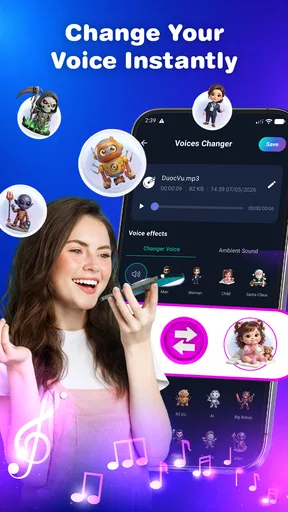
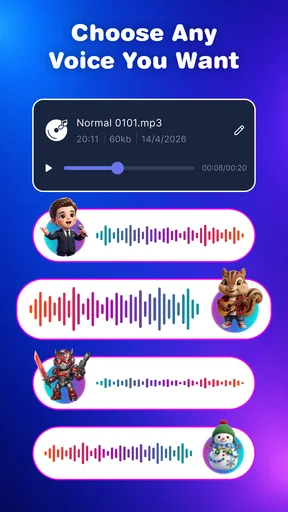
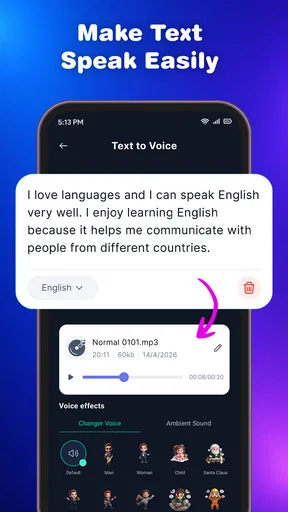
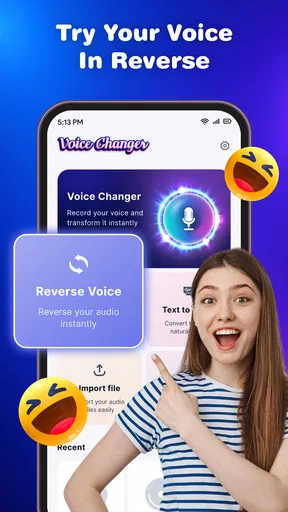
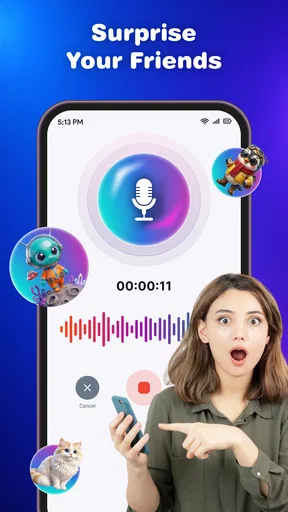
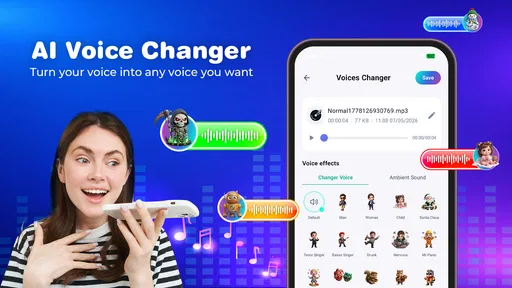
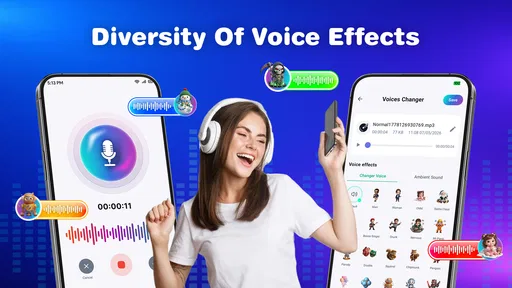
Our Review of AI Voice Changer
 Analysis by Appyee
Changing the way you sound can be useful, funny, or surprisingly practical, but most voice tools are judged too quickly by their novelty effect. I approached AI Voice Changer as a daily audio app rather than a toy: would it make calls, chats, and games more enjoyable, and would it be simple enough to keep installed? My answer is positive, with an important qualification. It is a good choice for experimenting with voice effects in casual situations, while people who need studio-level control or guaranteed compatibility with every communication service should compare it with more specialized alternatives.
This free Music & Audio app comes from Nexify Forge and is aimed at changing your voice with artificial-intelligence effects. It is suitable for Everyone, works on Android 7.0 and newer, and the current release is version 1.0.5. Its appeal is easy to understand: instead of recording yourself elsewhere, editing the file, and sending it back, you can use a voice-changing layer in situations where you want a different sound quickly.
What I considered before recommending it
I judge a voice-effects app by more than whether its transformations sound amusing in a quick demo. In this section, I consider the practical questions that shape my recommendation: what kind of use you have in mind, how much setup you can tolerate, and whether clarity matters more than novelty in that moment.
The first question is where you want to use the effect
Voice changing is not one single task. A person who wants a funny message in a group chat needs a different workflow from someone trying to sound clearer during a live game. Before installing this app, I would decide whether the priority is live use, recorded clips, playful conversations, or simply exploring different character-like voices. That decision matters more than the word “AI” on the label.
AI Voice Changer makes the most sense when speed and experimentation are more important than detailed sound design. I found its concept especially approachable for someone who does not want to learn an audio editor. The best results come from treating each effect as a creative filter: choose a voice, test a short phrase, listen for how it handles your natural pitch, and only then use it in a longer conversation or recording.
A second decision criterion is the environment around the app. A voice effect may sound fine inside its intended workflow but behave differently when another app handles the call, chat, or game audio. That is not a flaw unique to this product; audio routing depends heavily on the service and device. I would therefore test it with a short, low-stakes message before relying on it for an important call or a coordinated gaming session.
Ease of use matters more than an impressive demo
In my experience, the useful voice changer is the one that lets me move from a normal voice to an effect without turning the process into a technical project. This app’s strongest idea is its direct focus. It is not presented as a complete recording workstation, podcast suite, or music production tool. That narrower purpose helps keep the decision simple: install it when you want voice effects, not when you need to mix tracks or repair a noisy interview.
I also look at how much friction a tool creates after the first few minutes. If an effect requires repeated setup, the novelty fades quickly. My practical advice is to keep a short test phrase ready, such as a greeting or a sentence you commonly use in games. Try that phrase with several effects and listen through the same headphones you normally use. This reveals more than a dramatic one-line demonstration because it shows whether the transformed voice remains understandable over ordinary speech.
Clarity is the trade-off behind every effect
A heavily altered voice can be entertaining, but it can also hide consonants and make other people work harder to understand you. For chat and calls, I would choose the least aggressive effect that still achieves the mood I want. For a quick joke, stronger processing may be fine. For teamwork in a game, intelligibility should come first.
This is one of the less obvious points about voice-changing apps: the most memorable effect is not always the most usable one. A voice that sounds spectacular for a few seconds may become tiring during a longer conversation. I recommend judging an effect by three things: whether words remain clear, whether your volume feels consistent, and whether the result still sounds acceptable after repeated listening.
How the app fits everyday use
Imagine I am joining friends for an evening game. Before entering the voice channel, I open the app, select an effect, and say a few lines while listening through my headset. If the transformed voice makes my instructions difficult to follow, I switch to a lighter option or return to my normal voice. Later, when the group is relaxed, I can use a more exaggerated sound for a brief joke rather than leaving it active for the entire session.
That workflow shows where the app is most useful: as a flexible layer for moments of play, not as something that should dominate every conversation. The same approach works in a chat. I would record a short greeting, check that the effect does not bury the words, and send it only after hearing the final result. This small preview habit saves embarrassment and avoids sending a clip that sounded better in my head than it does in practice.
Where AI Voice Changer stands out
What makes this app stand out is its focused role in casual voice experimentation, rather than the detailed editing workflow of a conventional audio editor. I’ll look at the everyday habits that help you assess an effect before sharing it, and why a short, consistent test can be more revealing than choosing the most dramatic sound.
A low barrier for casual voice experimentation
The biggest advantage is accessibility. Because it is free, the cost of trying it is low, which makes it suitable for curious users who would not pay for a full audio application. It also has an Everyone content rating, so its presentation is aimed at a broad audience rather than a specialist community. I would recommend it to families and casual users who want to explore voice effects together, while still encouraging sensible behavior when speaking with strangers online.
Its audience reach is already substantial, with over one hundred thousand installs and a 4.5 average from around two thousand eight hundred ratings. Those figures suggest that the app has attracted meaningful interest, but I would not treat popularity as proof that every effect will work equally well on every phone. Audio tools are particularly sensitive to headphones, microphones, background noise, and the app receiving the final audio.
It is more approachable than a conventional audio editor
The usual alternative for changing a voice is a recording editor. That route can offer more control, but it also adds steps: record, import, apply processing, adjust the result, export, and then share. For a single playful message, that feels excessive. AI Voice Changer is better suited to people who want to get to the creative part quickly rather than learn a chain of audio controls.
There is also a social advantage to a focused tool. When I am trying to make a group chat more amusing, I do not want to spend ten minutes adjusting equalization or compression. A dedicated voice-effect app encourages short experiments and spontaneous use. That simplicity is a genuine strength, especially for younger users or anyone who feels intimidated by technical audio software.
Three practical habits improve the experience
- Test with ordinary speech, not only a dramatic phrase. Read a full sentence with names, numbers, and quick consonants. This exposes whether an effect remains understandable.
- Keep a clean comparison. Say the same phrase without an effect and then with one. The side-by-side comparison helps me notice whether the change is useful or merely louder and more distorted.
- Use effects selectively in group communication. A short introduction or joke is usually more enjoyable than leaving an intense effect enabled while everyone else is trying to coordinate.
These habits are simple, but they address the real weakness of voice effects: the user often hears the novelty before noticing the loss of clarity. They also make it easier to decide whether the app belongs in a regular workflow or is better kept for occasional entertainment.
The developer’s focused direction is helpful
Nexify Forge has positioned this release around voice effects rather than trying to make it an all-purpose audio toolbox. I appreciate that focus because it sets a clearer expectation. I would open it when I want to change how I sound, not when I need to cut music, produce a podcast, or polish a professional recording.
The current version, 1.0.5, is still something I would approach with a little patience. A focused app can be useful from the start, but early versions may feel less mature than long-established audio suites. I would keep the application updated and judge it on the effects and workflow I actually use, rather than expecting the depth of a professional desktop editor.
When another type of app may be the better choice
A voice effect is not the right solution for every audio task. I’ll distinguish situations where transformed speech is the point from those where clean editing, dependable live communication, or precisely timed audio is more important, so you can choose a tool that suits the job instead of expecting one app to cover everything.
Choose a recording editor for careful post-production
If your goal is to create a polished audio clip, a standard recording editor may be the better option. Those tools are usually designed around trimming, arranging, cleaning, and exporting audio. They may take longer to learn, but they give you a more deliberate process. I would choose that category for narration, a school project, a podcast segment, or any recording where clarity and repeatable editing matter more than instant fun.
AI Voice Changer is not the first tool I would reach for when I need to remove room noise, balance several voices, or make a finished production sound consistent. Its value is the voice transformation itself. Once the project involves multiple tracks or detailed corrections, a broader audio editor becomes easier to justify despite the extra work.
Choose a live communication solution when reliability is the priority
For competitive gaming or work calls, I would compare this app with a voice tool designed specifically around live microphone routing. The important question is not just whether a voice can be changed, but whether the effect reaches the intended audience without delay, interruptions, or confusing setup. If a team depends on every instruction, a specialized live solution may be a safer choice.
That does not make AI Voice Changer unsuitable for games. It can be enjoyable for informal sessions, character role-play, and friendly surprises. I would simply separate entertainment from communication-critical use. When a missed callout could affect the whole team, my normal voice or a proven communication setup is preferable.
Choose a soundboard when timing matters more than identity
Some users do not really want to transform their voice; they want to trigger short sounds, reactions, or prepared lines. A soundboard is better for that job. It provides quick audio events rather than continuously reshaping speech. AI Voice Changer wins when I want my own words to remain the center of the interaction, but a soundboard is more appropriate when the performance depends on precise, repeatable cues.
Privacy and social judgment still matter
A changed voice can make online interaction feel anonymous, but I would not treat it as a license to mislead people in sensitive situations. I would avoid using it for impersonation, deception, harassment, or anything involving identity verification. In ordinary entertainment, telling friends that I am using an effect keeps the joke comfortable and prevents confusion.
I would also be careful with children using any voice-changing tool in public chat. The Everyone rating describes the app’s broad suitability, not the behavior of every person they may encounter online. Supervision and sensible communication habits remain important, particularly when a voice effect makes it harder for others to recognize who is speaking.
What switching to it really involves
Trying a new voice tool involves more than installing it: you need to see whether its sound fits your own speaking style and the chat or game context you use. I’ll outline a low-pressure way to make that decision, including when it makes sense to keep a recorder or another audio option alongside it.
The financial cost is easy; the workflow cost is not
Because the app is free, trying it does not require a purchase decision. The real cost is time: installing it, learning which effect suits your voice, testing the microphone, and discovering whether the service you use accepts the transformed audio in the way you expect. I would spend a few minutes on that setup before inviting friends into a call.
Switching from a conventional recorder is also a change in mindset. A recorder encourages me to finish the audio first and share it afterward. A voice-effect app encourages live experimentation and quick reactions. Neither approach is universally better. The right choice depends on whether I value spontaneity or control for the particular task.
A simple transition plan avoids disappointment
- Start with a short personal test and listen through headphones.
- Compare an unmodified sentence with the same sentence using an effect.
- Try the app in the exact chat or game context where you plan to use it.
- Keep a normal-voice fallback ready if the effect affects clarity or routing.
This process also answers a practical question many new users have: can the app replace every other audio tool? I would say no. It can become the quickest option for playful voice changes, but it should sit alongside a recorder or editor if you also create serious audio. Keeping both categories available is more useful than forcing one application to handle incompatible jobs.
Who should install it
I think it is a strong fit for casual creators, friends who enjoy character voices, gamers in relaxed groups, and people who want to add personality to short chat messages. It is also a sensible first experiment for anyone who has never used an AI voice effect before and does not want to pay for a complex audio package.
I would skip it, or at least avoid making it my only audio tool, if I need professional post-production, dependable live communication for high-pressure teamwork, or precise control over every part of a recording. In those cases, a dedicated editor or live voice solution is likely to fit the job better.
My recommendation after using it
AI Voice Changer is worth trying when your priority is quick, playful voice transformation. Its free access, broad age suitability, focused purpose, and approachable concept make it easy to recommend for casual use. The 4.5 average and more than one hundred thousand installs add confidence that it has found an audience, although they do not remove the need to test it with your own microphone and preferred chat or game.
My recommendation is to use it deliberately rather than constantly. Pick an effect that preserves your words, preview short recordings, and treat live gaming as an experiment until you know how the audio behaves. If you want a funny greeting, a character moment, or a relaxed group-chat surprise, this app can add exactly the right amount of personality.
For polished productions, serious calls, or detailed sound work, I would choose a different category instead of expecting this focused app to do everything. But for the person who asks, “Can I quickly sound different without learning an audio editor?”, my answer is yes: install it, test it in a low-pressure setting, and keep it as a creative option for the moments when your normal voice feels a little too ordinary.
Verdict
Strengths of AI Voice Changer
- Offers many AI-generated voices for different styles and characters.
- Voice effects can make calls, chats, and recordings more entertaining.
- Simple interface makes changing voices quick for beginners.
- Useful for creating humorous clips, skits, and social media content.
- Works well for experimenting with pitch, tone, and vocal presentation.
Limitations of AI Voice Changer
- Some voices or advanced effects may require a paid subscription.
- Output quality can vary depending on the recording and selected voice.
- Processing longer recordings may take extra time or use more battery.
- Certain features may require an internet connection to work properly.
- Voice-changing results may sound artificial in some situations.
Other Releases by Nexify Forge
View All
Falling Loop Filter Challenge
Entertainment4.4

Magic Wheel - Spin Art Drawing
Art & Design4.0

Spiro Art: Spirograph Drawing
Art & Design3.8
Similar Picks in This Category
View All
YouTube Music
Google LLC4.4

Samsung Music
Samsung Electronics Co., Ltd.3.8

Spotify: Music and Podcasts
Spotify AB4.3

JioSaavn - Music & Podcasts
Saavn Media Limited4.3

Lark Player:Music Player & MP3
Lark Player Studio - Music, MP3 & Video Player4.6

StarMaker: Sing Karaoke Songs
SKYWORK AI PTE. LTD.4.3
Frequently Asked Questions
What is AI Voice Changer and what can I use it for?
AI Voice Changer is an app designed to transform your voice into different characters, styles, or sound effects using artificial intelligence and voice-processing tools. You can use it to create funny recordings, voice messages, short videos, gaming content, social media clips, or creative audio projects. The available voices and features may vary depending on the app version, device, and subscription plan.
Does AI Voice Changer work in real time during calls or games?
Real-time voice changing depends on the specific version of AI Voice Changer and the platform you are using. Some features may process recorded audio only, while others can work with compatible microphones, games, streaming tools, or communication services. Before downloading, check the app description and permissions carefully, because real-time effects may require additional setup, headphones, a stable connection, or a paid subscription.
Is AI Voice Changer free to download and use?
The app may be available to download for free, but some advanced voices, effects, export options, or unlimited usage can be restricted behind in-app purchases or a subscription. Free access may also include advertisements, daily limits, or reduced audio quality. It is worth reviewing the pricing details, trial conditions, and renewal terms before starting a subscription, especially if you only need the app for occasional recordings.
Is AI Voice Changer safe and does it protect my recordings?
Safety and privacy depend on how the application processes voice data. Some effects can be generated directly on the device, while more advanced AI tools may upload recordings to online servers for processing. Before using the app, read its privacy policy and check what information is collected, how long audio is stored, and whether recordings are shared with service providers. Avoid submitting sensitive conversations or personally identifiable information.
Can I use the generated voices and recordings for public or commercial content?
You should check the app’s terms of service and the license attached to each voice or effect before publishing or monetizing your recordings. Some voices may be intended only for personal entertainment, while commercial use, advertising, impersonation, or redistribution could be restricted. You should also avoid using an AI-generated voice to impersonate another person, mislead audiences, or create harmful content, even when the app technically allows the recording.
